
🚀 Advanced Excel + AI Skills: The #1 High-Income Skill Students Must Learn in 2026 (Ultimate Career Guide)
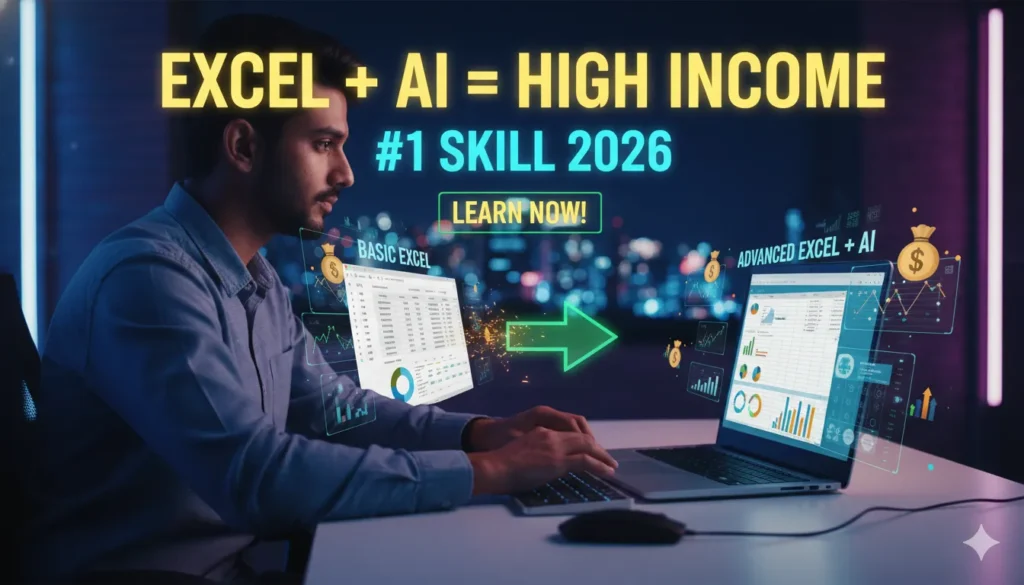
🔥 1. Introduction: The Skill Nobody Talks About (But Everyone Needs) Let me guess. When you think about high-income skills, your mind probably jumps to: Coding 💻 Graphic design 🎨 Digital marketing 📈 And Excel? You’re like… “Isn’t that just for boring office work?” That’s exactly where most students go wrong. Because in 2026, Advanced Excel + AI skills are quietly becoming one of the most powerful money-making combinations—and hardly anyone is talking about it properly. Here’s the reality: 👉 Businesses don’t just need creatives👉 They don’t just need coders👉 They need people who can understand data and make smart decisions And guess what tool sits at the center of all this? Excel. Now combine that with AI tools… And suddenly, you’re not just a student anymore—you’re a problem solver companies will pay for. 😰 The Problem Most Students Face No clear direction after 10th or 12th Confusion between too many courses Fear of choosing something “useless” Pressure to pick a “safe” career Meanwhile, the job market is evolving fast. And the truth is: 👉 The safest career today is NOT a degree👉 It’s a high-income skill that solves real problems 💡 The Promise of This Guide In this article, you’ll discover: Why Advanced Excel + AI is the #1 underrated skill in 2026 How it can help you earn ₹20K to ₹1L+ per month What exactly you’ll learn Career options, salaries, and future scope How students like you can start from zero Let’s unlock this hidden goldmine 👇 📊 2. Why Advanced Excel + AI Skills Are Exploding in 2026 We’re living in the data era. Every click, every purchase, every business decision—everything generates data. But here’s the problem: 👉 Data is useless… unless someone can understand it. That’s where Excel + AI professionals come in. 📈 The Big Shift Happening Right Now Businesses are becoming data-driven AI tools are automating repetitive work Companies want faster decision-making And they need people who can: Analyze data Create reports Automate tasks Use AI to save time 💥 Why Excel + AI is a Powerful Combo Let’s break it down: Skill What It Does Excel Organizes & analyzes data AI Tools Automates & enhances work 👉 Together = Superpower 🌍 Real-World Demand Companies hiring for: Data entry? ❌ (low demand now) Data analysis? ✅ (high demand) Automation experts? ✅ (growing fast) Even small businesses now need: Sales tracking Expense management Customer data analysis 💸 High Income Potential With this skill, you can: Get a job Freelance Work remotely Offer services to businesses And the best part? 👉 You don’t need a fancy degree👉 You don’t need 4 years of college Just skills + practice 🎯 3. What is Advanced Excel + AI Skills? (Simple Explanation) Let’s make this super simple. 💻 What is Advanced Excel? Not basic “sum and average” stuff. We’re talking about: Pivot Tables VLOOKUP / XLOOKUP Data Visualization (Charts, Dashboards) Conditional Formatting Macros & Automation 👉 Basically, turning raw data into meaningful insights. 🤖 What are AI Skills in This Context? Using tools like: ChatGPT Excel AI features Automation tools To: Analyze data faster Generate reports Automate repetitive tasks ⚡ Example (Real-Life) Without AI: You spend 3 hours making a report With Excel + AI: You do it in 30 minutes 👉 That’s why companies pay more. 🧠 4. What You Will Learn in This Course If you join an Advanced Excel + AI course, here’s what you’ll typically learn: 📊 Excel Core Skills Data entry & formatting Formulas & functions Logical functions (IF, AND, OR) 📈 Advanced Excel Pivot Tables & Charts Data analysis techniques Dashboard creation ⚙️ Automation Skills Macros Repetitive task automation Workflow optimization 🤖 AI Integration Using ChatGPT with Excel AI-powered data insights Automation using AI tools 💼 Practical Projects Sales reports Business dashboards Expense trackers Data analysis case studies 👉 This is what makes you job-ready. 💼 5. Career Opportunities After Learning Excel + AI Now let’s talk about what you really care about: 👉 “What can I become?”👉 “How much can I earn?” 💻 Job Roles Data Analyst MIS Executive Excel Specialist Business Analyst (entry-level) Office Executive 💰 Salary (India) Beginner: ₹15,000 – ₹30,000/month Intermediate: ₹30,000 – ₹60,000/month Advanced: ₹60,000 – ₹1L+/month 🌍 Freelancing Opportunities You can offer services like: Excel dashboards Data analysis Report automation Platforms: Fiverr Upwork 🏠 Remote Work Many companies hire remote Excel experts. 👉 Work from home + earn well = dream combo 😄 ⚖️ 6. Why This Skill is Better Than Most Courses Let’s compare honestly. ❌ Traditional Courses Too much theory Less practical use Slow results ✅ Excel + AI Skills Practical High demand Quick learning (3–6 months) Immediate earning potential 💡 Hidden Advantage This skill works in every industry: Finance Marketing Sales Operations 👉 You’re not limited to one field. 💡 7. Who Should Learn This Skill? This is not just for “top students”. 👨🎓 Perfect For: Students after 10th or 12th Commerce students Beginners with no coding knowledge Job seekers Freelancers 😅 Even If You Think: “I’m not good at studies” “I don’t like coding” “I’m confused about career” 👉 This skill still works for you. 🏫 8. Why Learning from the Right Institute Matters Here’s something most people ignore. 👉 The course matters👉 But the institute matters more ❌ Problems with YouTube Learning No structure No guidance No real projects No certification ✅ Benefits of a Professional Institute Step-by-step learning Practical training Doubt solving Real projects Placement support 📍 Example: Digitech Advance Computer Centre If you’re in Kolkata: At Digitech Advance Computer Centre, you get: Practical Excel + AI training Industry-relevant skills Friendly environment Affordable fees 👉 Perfect for beginners and students. ❌ 9. Mistakes to Avoid While Learning Excel + AI Avoid these mistakes: 🚫 1. Learning Only Theory Practice is everything. 🚫 2. Skipping Projects Projects = proof of skill 🚫 3. Not Using AI Tools AI is your advantage—use it. 🚫 4. Giving Up Early Consistency beats talent. 📅 10. Future Scope of Excel + AI Skills (2026–2030) Let’s